Welcome!

Welcome to my New Blog. This blog is for sharing my crafting ideas and my cutting files that I create primarily using the Make the Cut Software and my electronic cutters which include my 18" Black Cat Cougar, a Silhouette SD, and an original Expression.

All files and information shared here is for your personal use only. Please contact me if you wish to use any items commercially, for blog contests, or to submit for magazine publication. Thank you.

Wednesday, June 13, 2012

Stencil Edge Cards - both MTC and SVG files available

Hello. Just wanted to share some new cards that I made in the past few days.  They are "stencil edge" cards or in one case, just a stencil card.  Several of this style card had been shared on the MTC forum in the past few weeks and some people wanted to have it shown in a MTC Webinar how you would make them.  So Bryan showed several ways to do them in a MTC Webinar on 6/5/12.  I gather he did a followup on them again last night on the 6/12/12 Webinar (haven't seen that yet.  Will review when he gets it posted). During the 6/5/12 Webinar, Bryan had assigned homework for people to create their own versions of these cards and to then share pictures of them on the MTC forum. Pictures of many of the ones people have created have been shared in this thread on the MTC forum: http://forum.make-the-cut.com/discussion/25151/webinar-homework#latest.  (There are a few others scattered about in other threads(search the forum for stencil card) but this gets you to the bulk of them).

Julie from MTC_Tuts Yaho group also wrote a tutorial on using MTC to create a card like this.  You can find more information about the tutorial and where to find it by checking this thread on the MTC forum: http://forum.make-the-cut.com/discussion/25163/make-a-card-withastencil-edge-design-tutorial#latest

As a result, I decided to give a hand at trying them myself.  Some of the ideas I had considered making others had already done and I didn't want to recreate a similar card. So I looked for images that I had not yet seen done.   I choose an ice cream cone and a lighthouse.  While I was looking for free stencils that would work for this style of card, I ran across a sailboat that I really liked but didn't think was suited for putting on the edge of the card.  As a result, I chose to simply put it on the front of the card.  The pictures show the sample cards that I cut out to test my files.  The ice cream cone also contains a "print and cut" colored ice cream cone that I used behind my "stenciled" emage to add a pop of color to it.  This can also be "split" and the pieces used to create a paper piecing of an ice cream cone.  All cards have an insert to cut for the inside.  I think they would look great using vellum too.  Finally, the sailboat card also has a "stitching line" that I used to create  a stitched look with a marker on one of my cutters.  I think I will use the ice cream cone card either as a birthday or a simple "hello" card.  The lighthouse and sailboat may get used for father's day cards for my DH and my FIL.  Sadly my father is passed away so I cannot share one of my cards with him! If I don't use them for Father's day they could be used for several other things as well don't you think!

I created my original files in MTC but have exported them out into SVG for use by others with different software. I hope that you like them and would like to see what you do with the file(s).

The files are loaded into my public folder in my dropbox account.  You may find it necessary to do a right click and "save as" or "save target as" to save to your computer.

Download the Ice Cream Cone Stencil Edge Card MTC file here.

Download the Ice Cream Cone Stencil Edge Card SVG file here.

Download the Lighthouse Stencil Edge Card MTC file here.

Download the Lighthouse Stencil Edge Card SVG file here.

Download the Sailboat Stencil Card MTC file here.

Download the Sailboat Stencil Card SVG file here.

As always, Thanks for stopping by.  Please let me know if you use one of my files to create something.  I would love to see a picture or too!  I also have a few more things that I have been working on recently that I hope to find time to take photos of and to share soon here on my blog.  Some of them will have files to share as well so be sure to pop back in soon!

EDITED TO ADD:  You can see a birthday card made for SusanBluerobot with my Lighthouse card on Tracy's blog here: http://traceyfarr.blogspot.com/2012/06/another-stencil-card-for-susan.html?showComment=1343081980251#c6827046814225669317!  Thanks for coming and sharing your link with me Tracey so I could see your card you made for Susan!

Thursday, May 10, 2012

MTC & now SVG files for Swinging Z-Fold Card


******* UPDATED with SVG FILES - See Below - 2 files for each card size needed! ********

Good morning.  I have been doing a little crafting and creating some cut files for use with MTC recently.  However, I haven't had time to do the "behind the scenes" work that needed to be done so that I could share some of those files and information here with everyone.  DD's travel VB and DS's baseball is done for now (though we are now into Spring Football practices!) so that will free up some time (for a little while). DD has had her meniscus surgery done and that went well. She is on the mend and hopefully it will be a short recovery rather than a long one.  However, it also means that I am back to driving and picking them up everyday for school while she is still on crutches!

Anyway, some of my limited crafting time was used to create 2 different MTC files for the Swinging Z-fold card.  I found the information and tutorial for this card on the Splitcoast Stamper's website here: http://www.splitcoaststampers.com/resources/tutorials/swingzfoldcard. There is also a link from there to the Gallery where people have posted cards that they have made using the tutorial.

It was created by Beate John's and shared there. I have simply created MTC cutting files for it to make it quicker and easier to make one of these cards!  Thank you to Beate's for the tutorial that I found.  You can find it also on Beate's Blog: http://beate.blogs.splitcoaststampers.com/2010/12/16/tutorial-on-scs-swinging-z-fold-card/.  She also has a link there to her YouTube video she compiled on how to make the card for those of you who are more visual learners!

You can also do a Google search for "Swinging Z-Fold Card" and find pictures of other cards people have made for examples. I found quite a few really cute ones (one of which is why I decided to create this file so I could make some!)

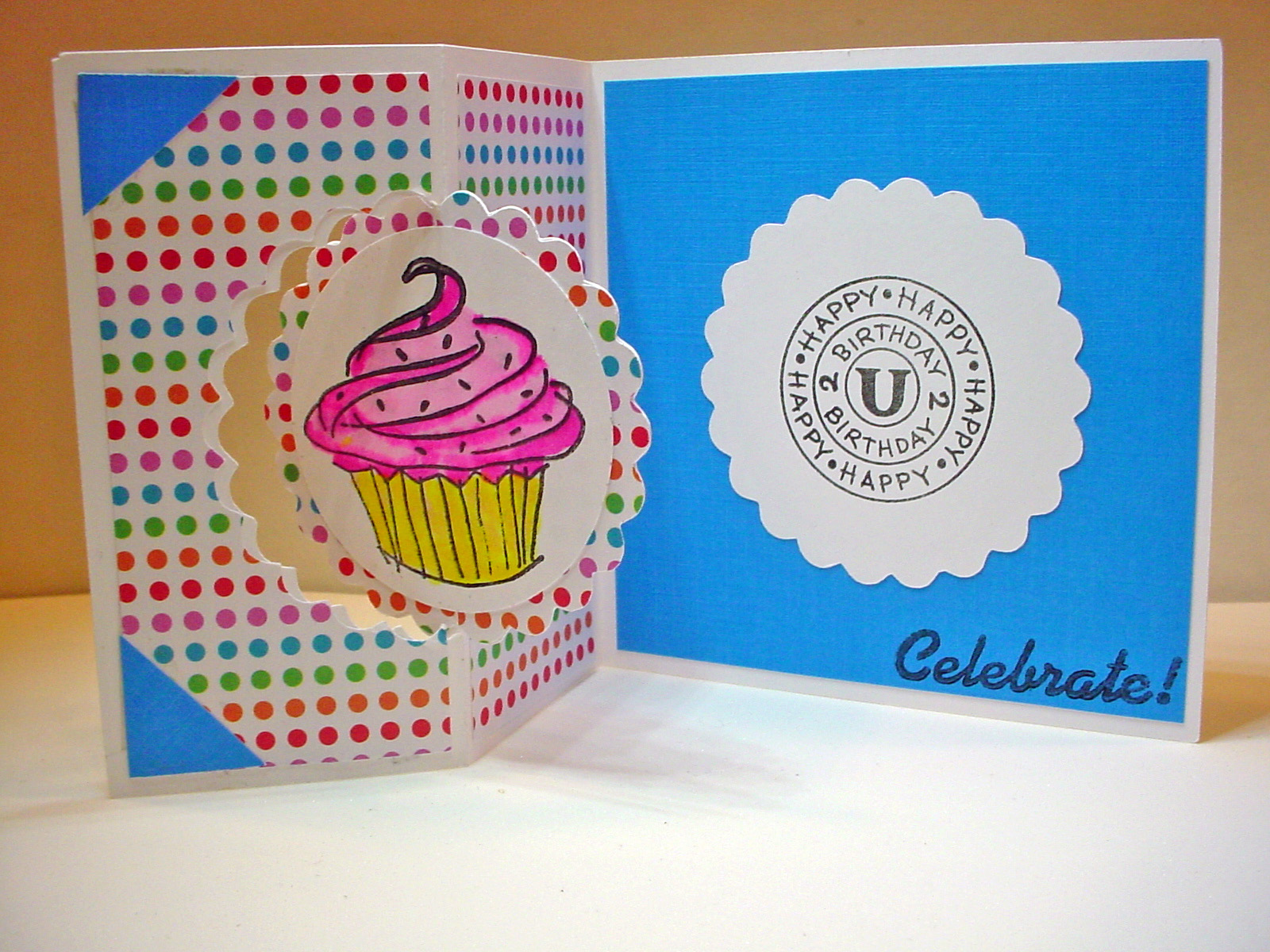
These are the two cards I made quickly to test my cutting files.  Neither of my files include the bear or the cupcake images that I used as they are stamps that I have.  I haven't "finished" the larger card with the bear and his ice cream cone.  Saving it to decide if it is a birthday card, a get well card, or some other type card.  Once I have a specific use for it, I will finish it off with the needed sentiments!

You can download my MTC Cutting files for the swinging Z-Fold card below.  I have two sizes of files, Beate's original pattern creates a 4 1/4" x 4 1/4" card when folded.  I first created a file based on her directions.  However, I prefer larger card sizes so I then created a second file that will create a 5" x 7" card when folded. I am making both of them available to download here from my Dropbox Account. In the Notes section of my file you will also find a PDF file showing the different "parts and pieces" to this card as well as pictures of these quick sample cards I made just to make sure that the cutting file was working properly.

NOTE: When trying to download these files, if you are unable to left click and save the files to your computer you may need to do a right click and a "save as" in order to download and save. They are saved and downloaded from my DropBox Account.

Download the MTC file for the original 4 1/2" x 4 1/2" Small Swinging Z-Fold Card here. This file has a scalloped circle.

Download the MTC file for the larger 5" x 7 1/2" Large Swinging Z-Fold Card here. This file has a plain circle.

****************** EDITED TO ADD THE SVG FILES *************************
NOTE:  Each size (Large/Small has 2 Files that need to be downloaded for the SVG Files! 
(sorry for the delay in sharing the SVG files!)
***************************************************************************

Download the Large Swinging Z-Fold File 1 of 2 here.
Download the Large Swinging Z-Fold File 2 of 2 here.

Download the Small Swinging Z-Fold File 1 of 2 here.
Download the Small Swinging Z-Fold File 2 of 2 here.


It would be fairly simple to take either of these cards and replace the scalloped or plain circle with another shape if desired (using the Node Editing Tools in MTC.) Feel free to experiment and come back and show us what you have made!

As always, thanks for stopping by.  I would love to see what you create with either of these files!

Thursday, April 12, 2012

Sliding Pop-Up Card MTC File to Share

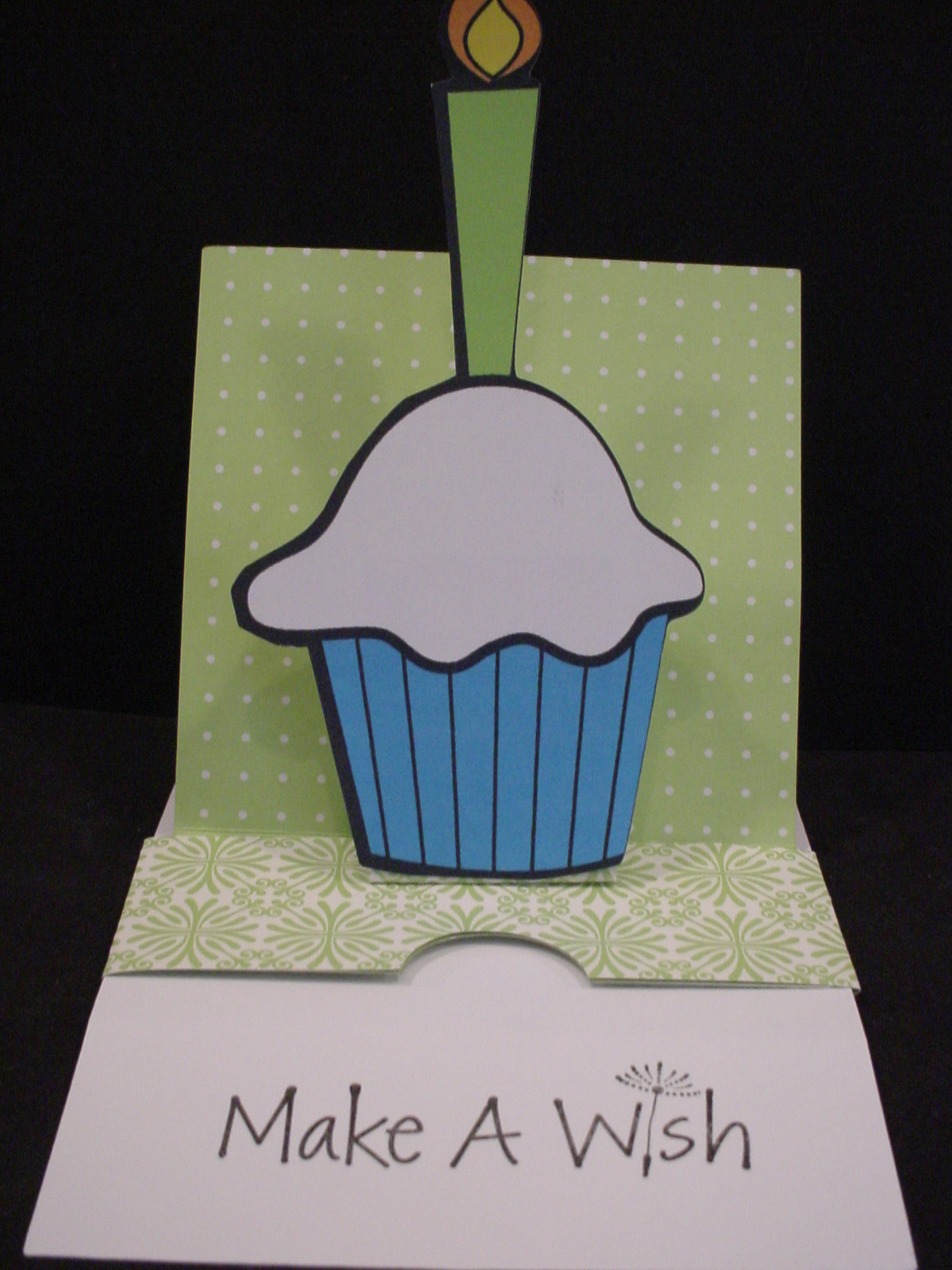
This is picture of card closed as first seen.
Hey everybody.  I wanted to share this Make the Cut file I created based on a Sliding Pop-up Card Tutorial written and shared by Kim Score on the Splitcoaststampers website.   There is also a video tutorial shared there as well for those who want a "visual".  You can also check out the Splitcoast Gallery of cards created based on this tutorial as well. Kim used a Raggedy Andy style image to popup on her's, he is so cute, I think that is what first drew my attention (looks like might have been a valentine card). (I Love the Mickey one in the Gallery that was created by midnightsmum as well!) You can also find Kim's personal blog at Paper Punch Addiction. I need to go check out her site and see more of her work!

They are fairly simple "pieces" to cut and score manually so some might wonder why I would create a "cut file" for something like this.  Well first, I am manual paper cutter and ruler challenged!  LOL  I cannot seem to get a "straight line" for the life of me.  Plus, I hate having to have to "measure" all the time.  By creating this cut file, I don't have to worry about cutting the edge straight or measuring off for the score lines each time I want to create this card.  I just lay my paper on the mat, press a few buttons, and I'm ready to start assembling!  There are several "notes" in the cutting file so be sure to read those, especially regarding how to use score lines in the file if you are unfamiliar with that.

This is picture of card opened and showing message.
My sample card was created using double sided paper and a "print and cut" cupcake image I had previousl found for free online and cut with the Silhouette SD (it was in my cut but not used yet pile!).  Kim does recommend using a heavy cardstock when making htis card.  I didn't have a really heavy cardstock so used what I had.  It worked okay but I can see where a heavier cardstock would probably be better.

 Make sure that you read Kim's directions throughly before starting to assemble. I would also recommend creating a "mock-up" first from some inexpensive paper before using any good paper that you only have 1 sheet of! Watching the video would probably be a good idea too! It's not really that complicated once you get it all figured out. Good luck and let us see what you create with the file!  Please note, the file does not include the cupcake with the candle.

As always, thanks for stopping by!  DD's Travel VB will be ending soon and I hope to be able to maybe start to create and share some more files here on my blog sooner rather than later!

If you have a 4shared account you can download the MTC cutting file here Sliding Pop-Up Card. If you don't have a 4shared account, you can signup to get one for free and then download the file.  This appears to be a change in their Terms of Use, you didn't need to have your own account in the past in order to download my files. I am exploring other options for sharing my files since I don't want people to have to have a 4shared account just to get my files. However, since I don't charge for my files and I don't have ads or anything on my blog to make $$ I need to find a simple and free option to do so.  Stay tuned and I will update as soon as I figure something out! I have only shared a MTC file here since that is how I created my file and it is really fairly simple file to recreate from Kim's directions if you prefer another format.

UPDATE:  I have also shared the file in a dropbox account.  You can find the Sliding Pop-Up Card there as well. It should download directly to your computer.

Thursday, March 22, 2012

When looking for the football outline for the T-shirt to share, I ran across this football shaped card that I had also made last Fall but had never shared the cut file for.  I originally made the card to give to my son to celebrate scoring his first Varsity Touchdown!  He is just a freshman so that was a really big deal!  PLUS, it was even bigger because neither myself nor my husband was there to see it!  : (  In our defense, our school has to travel alot for our games and both DD and DS had games that night (she plays Volleyball).  He was 2-3 hours away and she was at home.  As a Freshman, he indicated that he probably would not get into that game so no need for one of us to come!  Alas, not true!!  We were winning by a good margin already and they put him in towards the end of the game and he scored!  I was so happy and yet so sad!  I did get to see it on the "Web" as we broadcast our games that way!  Anyway, I knew I needed to make him a card to celebrate and let him know we were sorry we missed it and we proud of his hard work and effort that gave him the opportunity to play.

There are several layers to the card.  There is a black base and then there are two white layers in the file.  I think I just went with the one with the 3 pieces cut rather than the solid white base.  I used the swiss dots embossing folder to add the texture and then used some ink to "rough" it up and make it look like a well used football.

You can download the  .mtc (Make the Cut) Football Shaped Card here.

Wednesday, March 21, 2012

Football Shirt Design

I had previously shared a picture of this football shirt that I made but realized that I had never shared the file when someone recently asked on the MTC forum for a "football outline" for making shirts and I was going to point them to my blog to get this one and when I came to get the link realized that I had not yet shared the file!  So, even though its not presently football season, I wanted to get this file up so I could share it with that person looking for one! There are two layers, a white layer and then a dark green layer that goes on top.


Please note.  It has my children's school logo in the middle (we are Spartans) - just delete and replace with logo of your choice. It is also "mirrored" already for cutting with HTV and placement onto a T-shirt.  If you don't need to cut and mirror just flip or unmirror it.

You can download the Football Outline for T-shirt here.